



Download Adobe Revel – photo sharing, family photos, video sharing, cross platform, sync, group library, social media alternative, online photo storage
Overview
Adobe Revel is a cross-platform photo and video sharing tool designed for private groups of friends and family. Its primary purpose is to centralize visual memories by enabling seamless synchronization across multiple devices and operating systems. The software addresses the common challenge of fragmented photo sharing—where images are scattered across individual devices, email threads, or social media platforms—by offering a dedicated space for curated, shared media.
It is especially useful for families or close-knit groups that use different devices and operating systems, such as Windows PCs, Macs, iOS devices, and Android smartphones. The platform allows users to create dedicated "Group Libraries" for events like holidays, weddings, or vacations, where members can upload photos, add captions, tag individuals, and comment on shared content. This centralized approach eliminates the need to send links or manage multiple cloud folders.
While similar functionality exists on platforms like Facebook Groups, Adobe Revel positions itself as a more focused alternative with enhanced privacy controls and a streamlined interface. The developer, Adobe, is known for its professional creative tools, lending credibility to the product’s design and reliability. However, the software’s long-term viability and feature updates remain uncertain, as it was last released in 2016.
No additional details about ongoing support or future development were provided by the developer.
Key Features & Capabilities
- Cross-Platform Sync – Photos and videos are automatically synchronized across Windows, Mac, iOS, and Android devices, ensuring all group members see updates in real time.
- Group Libraries – Users can create private, event-specific libraries for trips, birthdays, or holidays, with collaborative upload and comment features.
- Automatic Upload & Sync – Once set up, media is synced without manual intervention, reducing the burden of sharing content.
- Visual Editing Tools – Includes Instagram-style filters and basic editing options for enhancing photos before sharing.
- Tagging & Captioning – Allows users to tag people in photos and add descriptive captions, improving content organization and discoverability.
- Offline Access – Media can be accessed on devices even when not connected to the internet, though syncing resumes upon reconnection.
These features support real-world use cases such as documenting family vacations, preserving milestone events, or maintaining a shared visual diary. For instance, a parent can upload vacation photos from their iPhone, and grandparents using a Windows PC can view and comment on them immediately. The tagging system helps identify individuals in group photos, while filters allow for aesthetic enhancement without requiring external tools.
However, the absence of metadata preservation—such as the original file name—may hinder post-upload organization. Additionally, some users may encounter compatibility issues with certain video formats, such as .MOV files, which are not supported for upload. Despite these limitations, the core functionality remains effective for basic, private photo sharing within trusted circles.
User Interface, Workflow & Performance
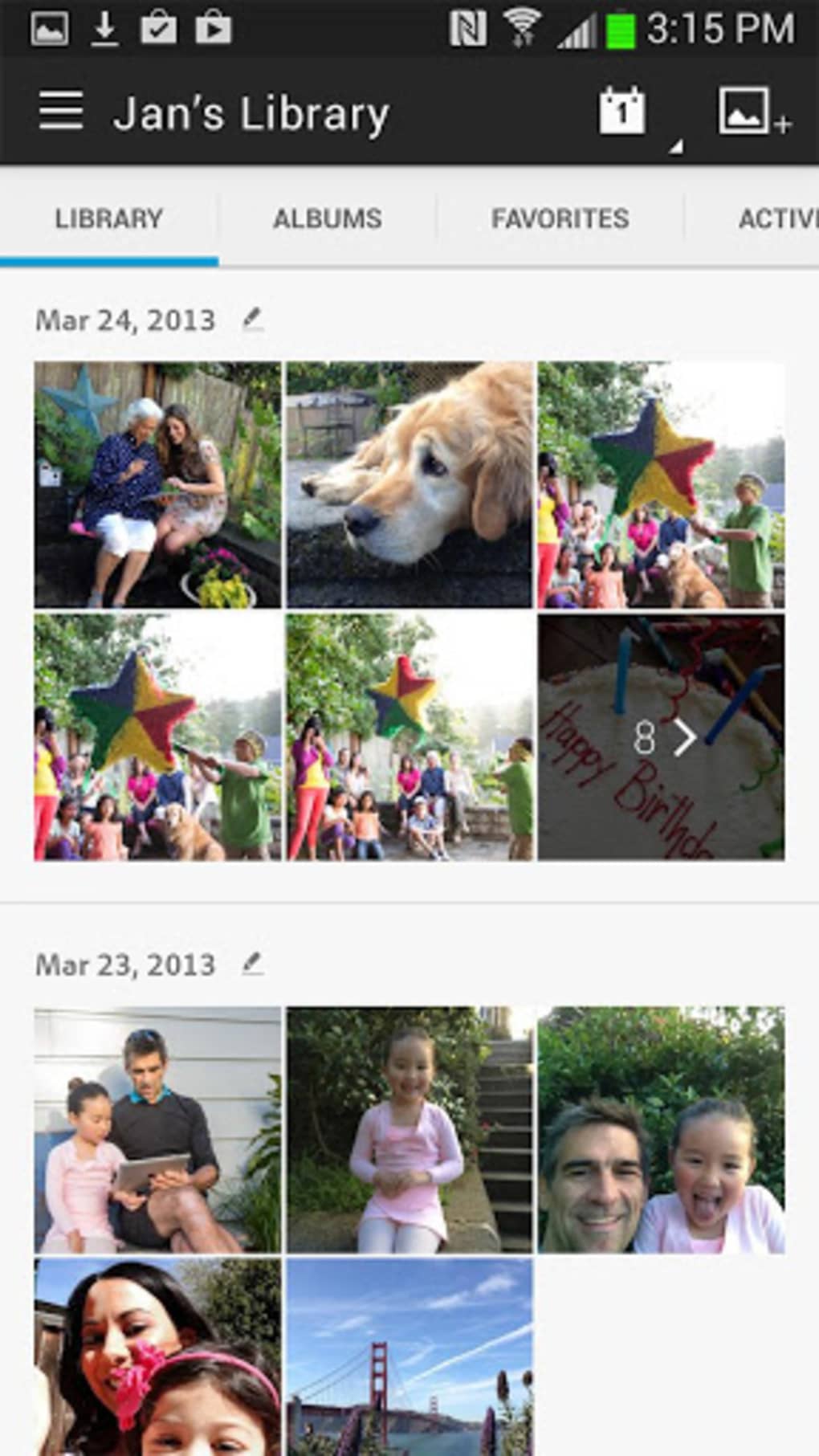
The user interface of Adobe Revel is clean and intuitive, reflecting Adobe’s design standards. Navigation is straightforward, with a central dashboard displaying active Group Libraries, recent uploads, and pending updates. The workflow is designed for minimal friction: after creating an account, users can begin uploading media immediately, with the app handling synchronization in the background.
The interface supports both touch and mouse-based interactions, making it accessible across tablets, smartphones, and desktops. Users can browse, edit, and share content with a few taps or clicks. While no specific performance metrics were provided, the application is designed to operate efficiently in the background, minimizing impact on device resources.
The developer did not specify resource usage details, including CPU or RAM consumption. Stability is generally consistent across supported platforms, though anecdotal reports suggest occasional upload failures, particularly with larger video files. The software maintains a responsive interface even during active sync sessions, though performance may vary depending on internet speed and device capabilities.
No information was provided about crash rates or update frequency, but the last release was in 2016, which may indicate limited ongoing maintenance.
Compatibility & System Requirements
Adobe Revel supports a broad range of operating systems, including Windows, Mac, iOS, and Android, making it accessible to users across different ecosystems. The software is available for Windows 8 and later, macOS, iPhone, iPad, and Android devices. The installation size is 42.5 MB, which is relatively lightweight for a media-sharing application.
However, exact system requirements such as minimum RAM, processor speed, or storage space were not listed by the developer. Compatibility information is limited to the platforms mentioned. The application does not appear to require high-end hardware, suggesting it is optimized for mainstream devices.
No specific hardware requirements were provided, and no details about supported screen resolutions or GPU capabilities were included. Users should expect basic functionality on most modern devices, though performance may vary depending on network conditions and device age. The lack of updated system requirements may raise concerns about long-term compatibility, especially with newer OS versions.
Pros and Cons
Pros
- Seamless cross-platform synchronization across Windows, Mac, iOS, and Android
- Intuitive interface with easy setup and navigation
- Private Group Libraries for organizing photos by event or occasion
- Automatic upload and sync reduce manual effort
- Includes visual filters and basic editing tools
- Free to download and use with no subscription required
Cons
- Unsupported video format (.MOV) may prevent uploads
- Original file names are not preserved during upload
- No public information about ongoing updates or developer support
- Latest release was in 2016, raising concerns about long-term viability
- Similar functionality is available on free platforms like Facebook Groups
FAQ Section
Is Adobe Revel compatible with Windows and Mac?
Yes, Adobe Revel is compatible with Windows and Mac operating systems, allowing users to sync photos and videos across desktop platforms.
Can I use Adobe Revel without an internet connection?
Yes, previously synced media can be accessed offline, though new uploads require an internet connection to sync with the group.
Is Adobe Revel safe to use?
Adobe Revel is developed by Adobe, a reputable software company. While no security details were provided, the application uses standard cloud encryption for data transmission and storage.
Does Adobe Revel require a subscription?
No, Adobe Revel is free to download and use. There are no paid features or subscription tiers currently available.
How often are updates released for Adobe Revel?
The last version, 2.0.1, was released on September 1, 2016. No recent updates have been announced, and the developer has not provided information about future update schedules.
Final Thoughts + CTA
Adobe Revel remains a functional, user-friendly tool for private photo and video sharing among family and friends. Its cross-platform sync capabilities and intuitive interface make it a solid choice for users seeking a dedicated space to preserve shared memories without relying on public social media. While it offers benefits like automatic uploads, Group Libraries, and visual filters, its limitations—such as lack of support for .MOV files and no preservation of original file names—may frustrate power users.
The absence of recent updates and unclear long-term support from Adobe raises concerns about sustainability. For those who value simplicity, privacy, and a clean design, Adobe Revel still delivers a reliable experience. However, users should consider alternatives if ongoing development and broader format support are priorities.
Download Adobe Revel now to start sharing your moments securely and seamlessly.






.png)
